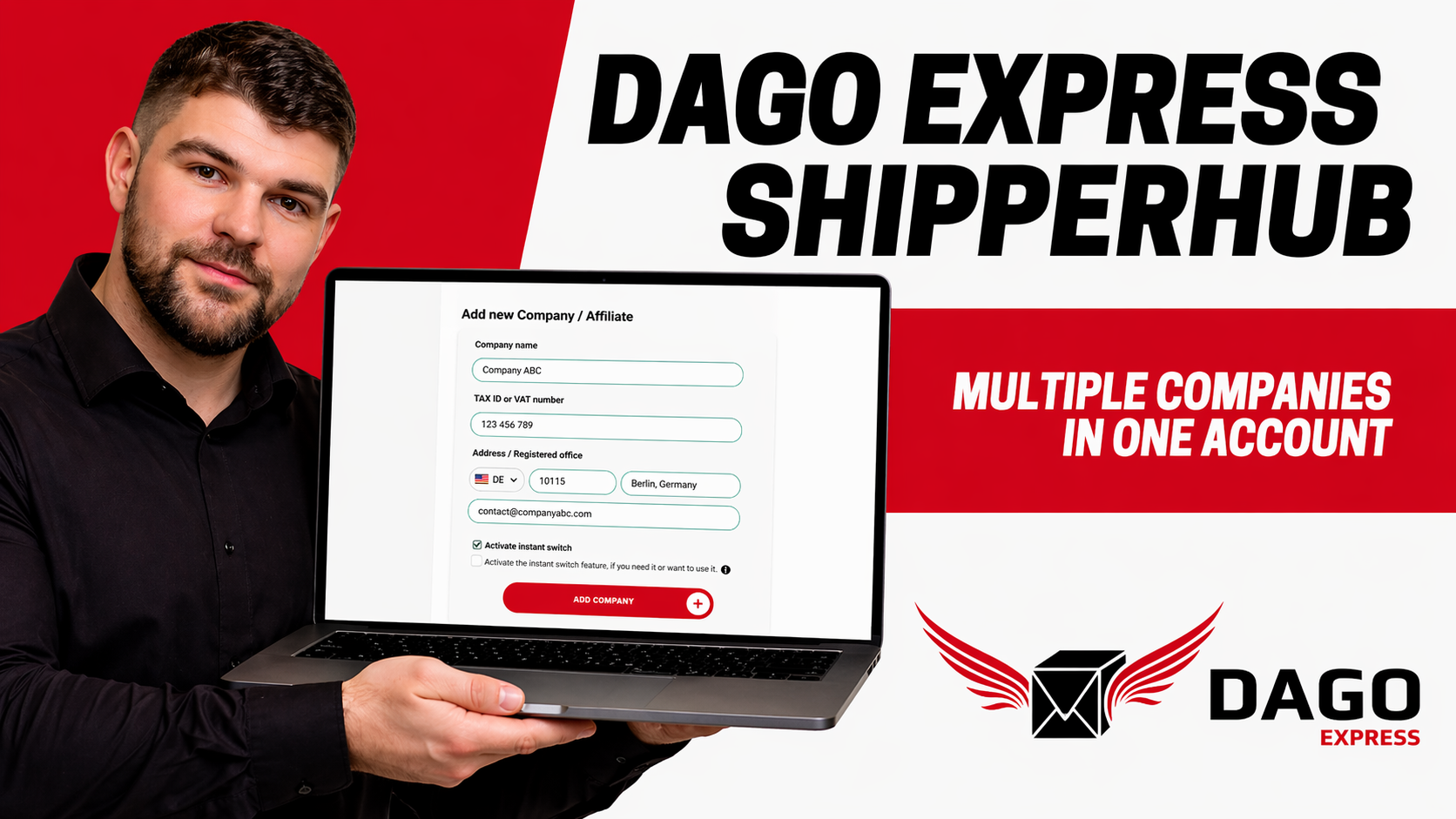
Manage Multiple Companies in DAGO Express ShipperHub
Managing multiple companies within a single shipping account saves time, reduces errors, and creates clear structures in logistics. With the ShipperHub from DAGO Express, you can centrally control different company profiles while keeping billing strictly separated. This is especially valuable for agencies, e-commerce sellers with multiple shops, or service providers handling many clients. In this guide, you’ll learn in a practical way how to set up, structure, and use your account efficiently in everyday operations.
Key Takeaways
Multiple companies can be managed centrally within one account
Each company has its own data and separate billing
Shipments are assigned to specific company profiles
Invoices can be filtered and exported per company
Clear naming structures help prevent operational errors
Purpose of the Setup and Strategic Benefits
The main goal is to manage multiple companies or brands under a single account without losing clarity. You can control all shipping processes from one dashboard while maintaining a clean separation of data. This is especially important when working with multiple online shops or clients. At the same time, administrative effort is significantly reduced because you no longer need to switch between accounts.
Another major benefit is improved cost transparency. You can clearly see which brand generates which shipping costs. This supports better strategic decisions in e-commerce. Team collaboration also improves because processes are centralized and standardized. Growing businesses benefit greatly from this structured setup.
Requirements for Using the ShipperHub
Before getting started, you should have all necessary data prepared. This includes your login credentials for the ShipperHub account. You also need complete company data for each business, such as company name, address, and VAT ID if applicable. A dedicated email address for invoices is also recommended. It’s crucial to know in advance which orders belong to which company. This clarity prevents confusion later. Especially when running multiple shops, this assignment is essential. Without proper preparation, billing errors can occur. A solid data foundation ensures a smooth setup process and simplifies accounting tasks later.
Creating and Managing Company Profiles
Next, you create individual company profiles in the ShipperHub. Navigate to the section for company or customer profiles. There you will find an option such as “Add new company.” Enter all relevant details, including company name, legal form, address, and tax information. Also include a contact email for invoices. After saving, the company profile is immediately available. Repeat this process for each company you want to manage. Make sure all data is entered accurately. Incorrect information can cause issues with invoices later. A clean setup is essential for an efficient workflow.
Structuring and Organizing Company Profiles
A clear structure is key to smooth operations. Use distinct and descriptive names for each company. Examples include “Shop A Ltd.” or “Brand B EU.” This makes it easy to identify the correct profile. Define internally which shops or clients belong to which company profile. Document this structure in tools like Excel or Notion. This helps team members select the correct company when creating shipments. A good structure prevents billing errors and saves time. As your business grows, this becomes even more important. It also improves your ability to analyze shipping data effectively.
Assigning Shipments Correctly
When creating shipments, selecting the correct company profile is crucial. In the ShipperHub, you can choose the active company before processing an order. This determines which company will be billed. After that, you proceed with the shipment as usual. Enter recipient details and choose shipping options. If you operate multiple brands, pay extra attention to this step. Selecting the wrong profile leads to incorrect billing. Fixing such errors later can be time-consuming. Therefore, always double-check before confirming a shipment. A clean process ensures accurate accounting and saves effort in the long run.
Billing, Invoices, and Accounting Optimization
Billing is handled directly within the ShipperHub and can be filtered by company. You can view invoices for each business separately. These can then be exported for accounting purposes. Monthly reporting per company is especially useful. It allows you to maintain full control over shipping costs. At the same time, it reduces manual accounting work. The clear separation of data increases transparency. You can precisely analyze how much each brand spends on logistics. This information is valuable for business strategy decisions. Efficient billing processes save both time and money.
User Permissions, Error Prevention, and Workflow Tips
If multiple people use the system, you should define clear user roles and permissions. Not every team member needs access to all companies. This reduces errors and protects sensitive data. Define who is allowed to create new company profiles. Also decide who can edit billing data. Common mistakes include selecting the wrong company or entering incomplete data. These can be avoided with clear internal processes. Use a master login for your core team. Avoid mixing private and business accounts.
Conclusion
Managing multiple companies in the DAGO Express ShipperHub significantly improves efficiency. You save time, avoid errors, and maintain full control over shipping costs. This structure is essential when handling multiple brands or clients. With clear processes and clean data, you create a scalable logistics foundation. This allows your business to grow in a structured and profitable way.
Courier Service > Blog > Manage Multiple Companies in DAGO Express ShipperHub
 Dansk
Dansk
 Deutsch
 Eesti
Eesti
 English (GB)
 Español
 Français
 Hrvatski
 Italiano
 Latviešu valoda
 Lietuviškai
 Magyar
 Nederlands
 Norsk Bokmål
 Polski
 Português
 Română
 Slovenčina
 Slovenščina
 Suomi
Suomi
 Svenska
 Čeština
 Ελληνικά
 Русский
 Українська
 български
 العربية
 中文 (中国)
 English