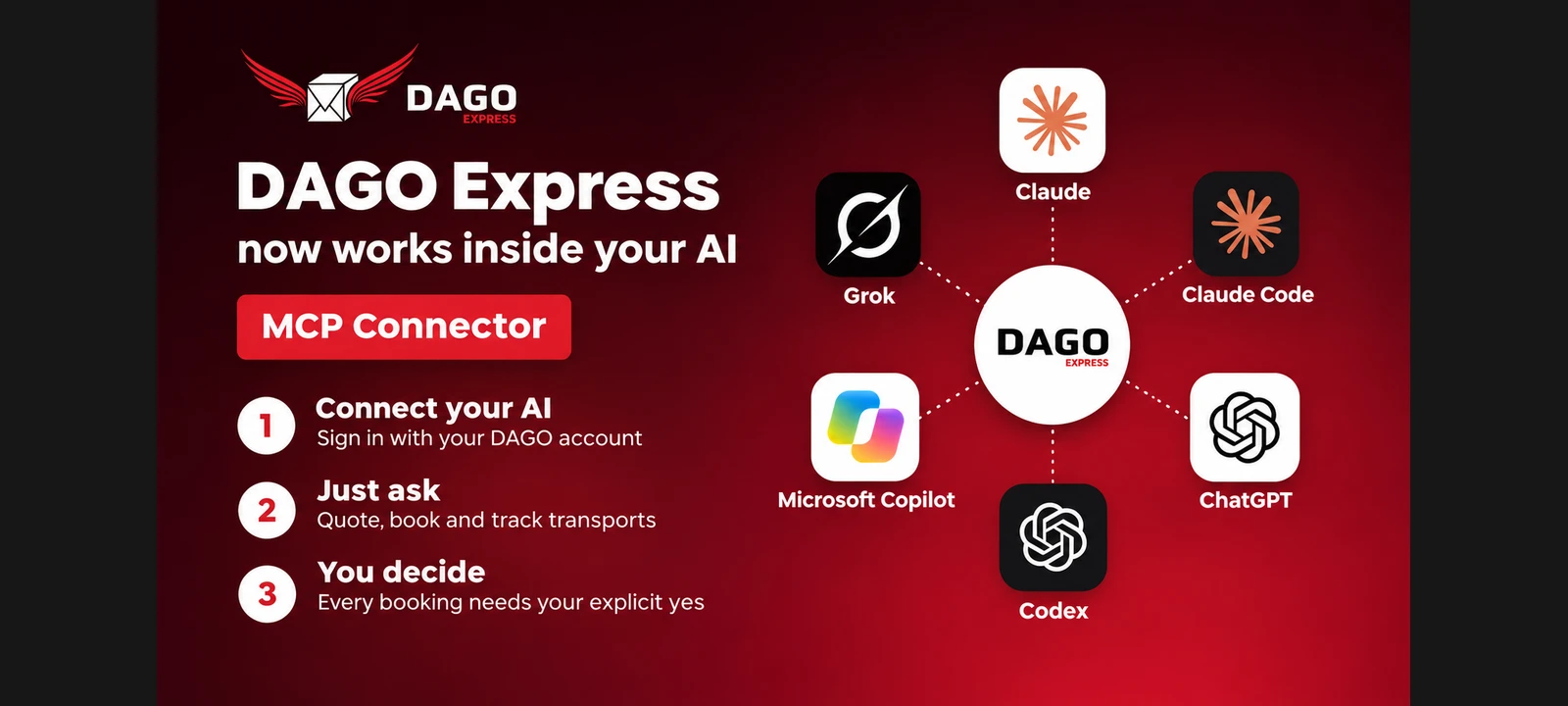
A transport often begins with a simple question: Which vehicle can pick up the goods, how much does the journey cost and when will it arrive? Until it becomes a confirmed order, teams often switch between emails, price calculators and customer portals. The DAGO MCP Connector brings these work steps into an AI chat: query prices, book transports after approval and check the order status.
DAGO Express presents this approach in its current company article as the next step towards more software-supported logistics. The focus is on Europe and the USA. The idea is concrete: The AI supports the preparation and processing, while the decision about a paid booking remains with the human.
What is the DAGO MCP Connector?
MCP stands for Model Context Protocol. The standard enables compatible AI applications to integrate external tools and data sources. The DAGO Connector connects such a workspace with your own DAGO customer account. Information on prices, vehicles and orders is retrieved from the DAGO system and provided during the conversation.
On the product page, DAGO names Claude, Claude Code, ChatGPT, Codex, Grok and Microsoft Copilot. The prerequisite is a DAGO customer account and an AI application that supports the corresponding MCP connection. The specific setup steps and requirements can be found on the DAGO MCP Connector page.
From transport requirements to confirmed bookings
Instead of transferring a request multiple times to different interfaces, describe the transport in the chat. In order to provide a useful offer, the system still needs precise information: collection and delivery address, date, weight, dimensions as well as vehicle and loading or unloading requirements. An understandable interface does not replace complete transport data.
- Request a quote: Describe the route, date and shipment. The connector retrieves the price for the appropriate transport configuration.
- Check details: Check price, vehicle, addresses and times. Complete or correct missing information before approval.
- Expressly confirm booking: The order will only be triggered after your consent. If the price changes or the offer expires, an updated offer is required.
- Query status: After booking, you can retrieve the current order status from the DAGO system in the chat.
If you would like to get to know the transport service first, you can find information about the respective market on the DAGO Express website. The Connector supplements access to the transport service; physical collection and delivery remains a real logistics task.
Agent logistics with human approval
What we mean by agentic logistics here is that an AI not only formulates texts, but also supports concrete work steps via connected tools. It can carry out a price query, collect order information and submit a approved booking to the system. This does not become an unsupervised power of attorney.
The “Human in the Loop” principle is therefore central: every booking requires explicit confirmation of the specific offer. For companies, this is a useful checkpoint between preparation and binding order. Responsibilities, internal approval limits and the checking of transport data remain part of your own workflow.
Europe and USA: same access, different transport requirements
DAGO describes the further development of the connector for Europe and the United States. For customers, this means a common approach to service, but not identical services across the board in every country. Vehicle options, routes, available services and conditions depend on the respective market and the specific offer.
A European direct transport and a trip between two US cities can therefore be requested similarly, but each requires appropriate addresses, dates and shipment dates. Always check the details of the transport actually offered. A sample request or a sample price is not a booking confirmation.
Why the connection between AI and transport software is relevant
The connection can reduce switching between systems: fewer switches between applications and less manual transmission of the same information make it easier to process recurring transport requests. This is particularly interesting for teams that already work with AI workspaces and want to integrate transport processes into their existing processes.
In the LinkedIn post, DAGO also describes the API and MCP layer as the basis for scalable growth. This is a strategic objective, not a verified guarantee to margins, staff savings or revenue. For users, the first thing that counts is whether the connection reduces effort in their everyday life and provides reliable information.
Further guidance on transport processes and practical applications can be found in the DAGO logistics blog.
How to get started with the connector
Set up the connector using the instructions for your AI application and log in using the DAGO login dialog provided. Start with a clearly described price query. Then check whether the vehicle, price and transport details match your needs before confirming a booking.
Ready for the first transport in the AI chat? The Setup instructions for the DAGO Connector explain how to get started. The process remains simple: connect, request, check and explicitly approve.
Frequently asked questions about the DAGO MCP Connector
Does the AI automatically book a transport?
No. A booking requires express confirmation of the specific offer. A mere price enquiry does not trigger a transport order.
Do I need my own DAGO account?
Yes. The connector works with your DAGO customer account. Additionally, you need an AI application that supports the corresponding MCP connection.
Can I query the status of a shipment?
Yes. According to the product description, the connector retrieves the current order status directly from the DAGO system. The status information available there is decisive.
Does the connector replace the customer portal?
It offers additional access in the AI chat. The customer portal and the price calculator remain alternative options. You can find out which functions your application supports in the current setup instructions.
Source: DAGO Express on LinkedIn and the linked DAGO product page. As of 6 November 2026.
 Dansk
 Deutsch
 Eesti
 English (GB)
 Español
 Français
 Hrvatski
 Italiano
 Latviešu valoda
 Lietuviškai
 Magyar
 Nederlands
 Norsk Bokmål
 Polski
 Português
 Română
 Slovenčina
 Slovenščina
 Suomi
 Svenska
 Čeština
 Ελληνικά
 Русский
 Українська
 български
 العربية
 中文 (中国)
 English